
Pandas is more than just a data manipulation tool; it’s a powerhouse for anyone looking to make sense of data in Python. While Python knowledge provides a solid foundation, mastering Pandas strengthens your ability to analyze and manage datasets effectively. This library allows you to handle large amounts of data effortlessly, making it a must-have in your toolkit.
Site owner may receive a commission for purchases made through links on this page, but with no extra cost to you.
Streamlining Your Data Processes
With Pandas, you can easily perform complex data operations like filtering, grouping, and merging datasets. It offers DataFrames, which are akin to spreadsheets and enable straightforward data management. Efficiently manipulating data with Pandas not only saves time but also improves analysis accuracy, leading to more robust insights.
Related: Get our FREE downloadable Pandas Cheatsheet for Your Reference
Integrating Pandas with Other Libraries
Another great advantage of Pandas is its seamless integration with other Python libraries such as NumPy, Matplotlib, and Scikit-learn. This synergy allows data analysts and scientists to visualize data and build machine learning models with ease. Without a solid understanding of Pandas, using these powerful tools becomes much harder.
Downloadable Cheat Sheets
If I am being honest, I never used to be a fan of cheat sheets before. But the one I am going to give to you is kind of what got me hooked on them. Now, I use them all the time. It’s not that there was anything wrong with them. It’s just that I would download them and forget about them; they would collect digital dust!
But I always forget the syntax in Pandas. I use Pandas enough that I should remember, but there is always that one command… what does that command do? You get what I mean. When you navigate to the cheat sheets page, you’ll have to scroll down a bit to find the Pandas page.
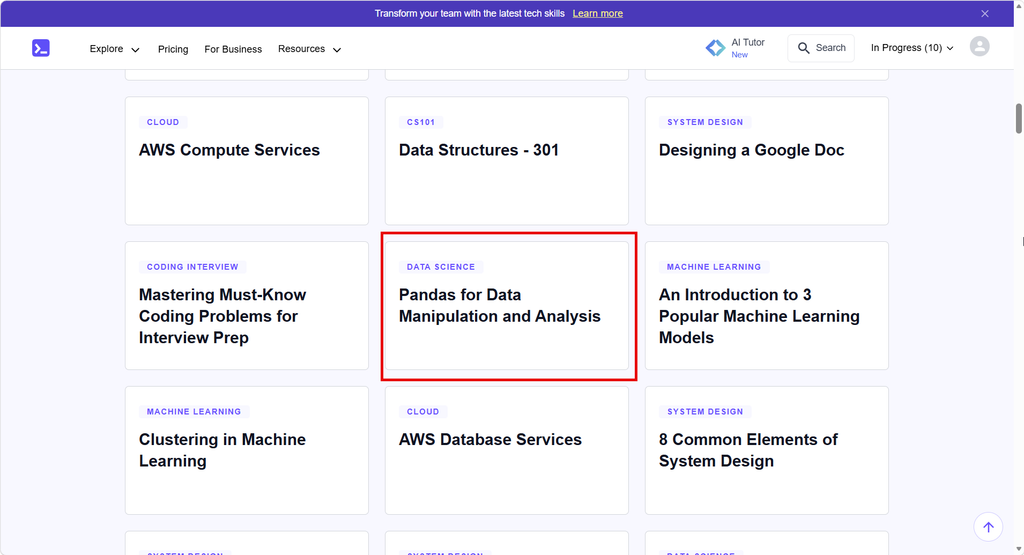
Just click on that link, and it will download a PDF to either your browser or download folder, depending on how your system is set up. This is why I didn’t direct link to the PDF. Sometimes, the way the PC or laptop is configured, it can cause trouble when downloading. Besides, it’s fun to see what other cheat sheets are available. Feel free to download as many as you want.
NOTE: You may be asked to log in with a Gmail account to get access. It’s easy to do and takes a few seconds.
How I Solved Forgetting the Cheat Sheets I Downloaded
How did I solve my problem of forgetting about the cheat sheets I downloaded? Simple. I use Google’s Notebook (formerly NotebookLM). You can load up the cheat sheets and then ask questions of the Google Gemini engine. The Notebook is one of the best ideas in this whole AI landscape.
Of course, when you download your cheat sheets, you are welcome to use whatever method works for you. I won’t tell anyone. I promise.
Next Steps…
Check out the cheat sheets available. You’ll find there are many. I told you to download the Pandas cheat sheet, and you should (remember to scroll down until you find it). But go ahead and download others that interest you. And remember you can load them into Notebook.Google.com.
I suggest creating categories for each high-level topic. For instance, you can put all Python-related cheat sheets in one notebook. Another example is putting SQL-related topics in another notebook. You can set this up however you feel.
Go ahead and start downloading your cheat sheets!
Enjoy!


Be First to Comment